
Flutter package · fragment shaders
GPU shader page transitions for Flutter
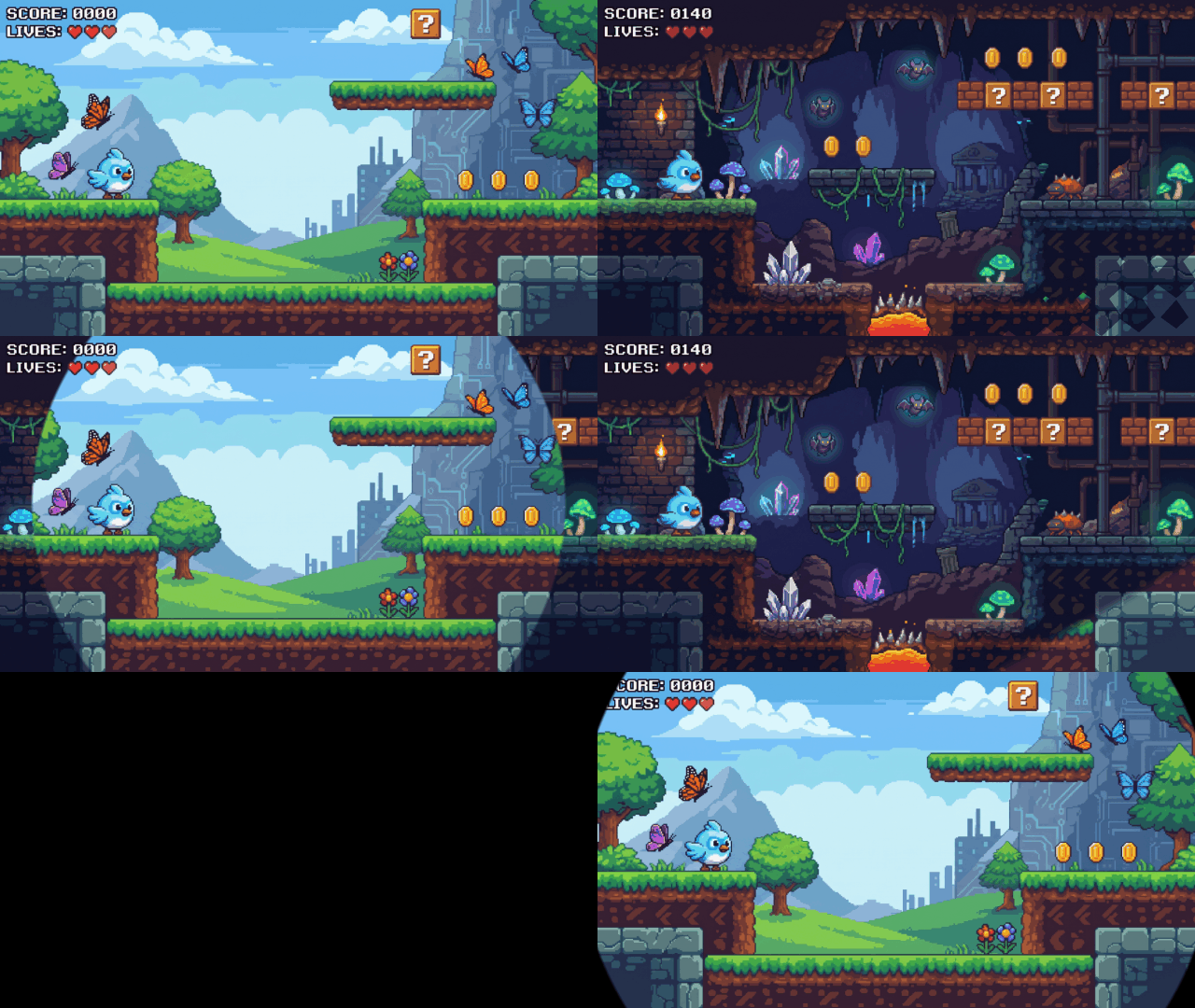
Diamond, circle iris, wipe, clock, polygon, dissolve, fade, and bars: eight transitions drawn by fragment shaders, with eight sweep directions and an optional fade-to-color hold. Push them with Navigator, go_router, or auto_route, and swipe back on iOS.
flutter pub add shader_transitions
Features
-
Eight transitions, one API
Type
ShaderTransition.to see all eight. The same parameter name means the same thing everywhere. -
Any direction
Sweeps run along four axes and four diagonals; the radial ones start from any origin.
-
Cover and hold
Wipe to a color, hold it, then reveal the next page:
TransitionCover(color:, hold:). -
Works with your router
Navigator, go_router, auto_route, or app-wide through
pageTransitionsTheme.
Showcase
Each clip pushes a page with the transition, then pops it. Pick one to open it in the playground, where you can change its direction, timing, and cover color.
-
Diamond
A band of diamond cells sweeps across; each cell grows from its center.
ShaderTransition.diamond()Try Diamond -
Circle iris
A feathered circle grows from any origin, or closes in with
invert.ShaderTransition.circle()Try Circle iris -
Wipe
A straight, feathered edge travels across in any of eight directions.
ShaderTransition.wipe()Try Wipe -
Clock
A radial hand sweeps around the origin;
sectorsfans it into blades.ShaderTransition.clock()Try Clock -
Polygon
A regular polygon opens from the origin; three sides makes a triangle.
ShaderTransition.polygon()Try Polygon -
Dissolve
Random grain fills in pixel by pixel;
grainsets how soft it fades.ShaderTransition.dissolve()Try Dissolve -
Fade
A plain cross-fade that still works with a cover and the lifecycle callbacks.
ShaderTransition.fade()Try Fade -
Bars
A venetian blind: parallel bars wipe in together along a direction.
ShaderTransition.bars()Try Bars -
Cover and hold
Wipe to black, hold for 600 ms, then reveal the next page. Works with any transition.
cover: TransitionCover(...)Try it on Wipe









Get started
Three steps from install to your first shader transition.
-
Add the package
flutter pub add shader_transitions -
Preload the shaders once
void main() async { WidgetsFlutterBinding.ensureInitialized(); await ShaderTransitions.preload(); runApp(const MyApp()); } -
Push a route
Navigator.of(context).push(
  ShaderPageRoute(
    page: const NextPage(),
    transition: const ShaderTransition.diamond(),
  ),
);
Using go_router or auto_route? Pass ShaderTransitionBuilders.create(...) as the page's transitions builder and set opaque: false. See the README. Every class and parameter is in the API reference.